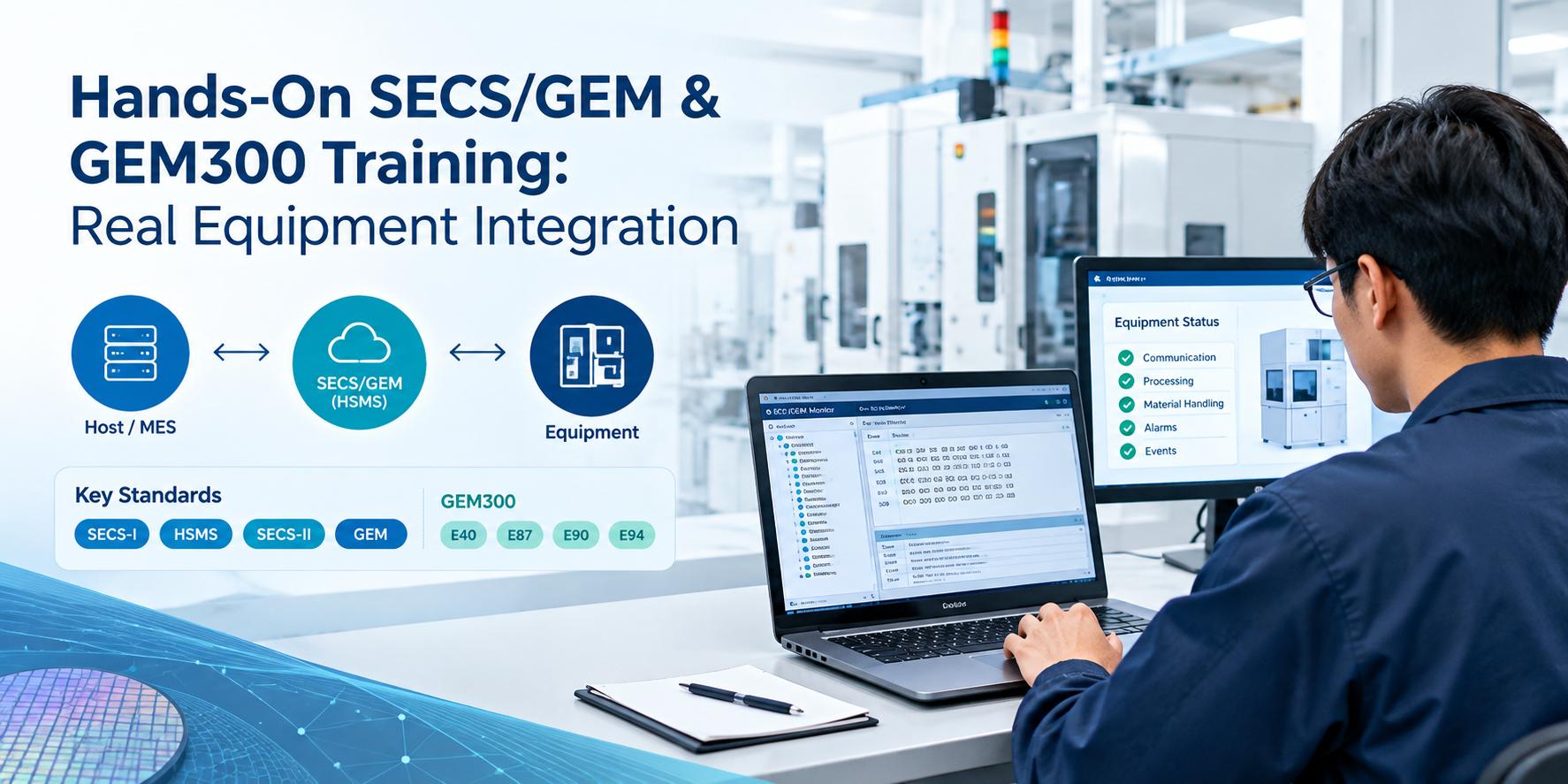
Hands-On SECS/GEM & GEM300 Training: Real Equipment Integration
Every semiconductor fab depends on equipment that can talk to a factory host. SECS/GEM is the common language that makes this possible. It lets a host or MES start processes, collect data, receive alarms, and track equipment status without a custom interface for every tool.
Reading the standards is a good start, but it only takes you part of the way. Hands-on SECS/GEM training teaches what the documents can’t: how a connection fails, why a host gets no reply, and how a missing report definition leaves a data collection plan empty. This matters even more with GEM300, the set of standards for 300 mm wafer fabs, where carriers, substrates, and jobs must all stay in sync with the host.
This article explains what practical SECS/GEM and GEM300 learning involves, what real equipment integration looks like, and how to choose a learning approach that prepares you for the fab floor.
Understanding SECS/GEM and GEM300
SECS/GEM is a group of SEMI standards, each with a specific role:
- SECS-I (SEMI E4) defines message transfer over a serial connection. It is mostly found on older equipment.
- HSMS (SEMI E37) carries the same messages over TCP/IP. It is the standard choice for modern tools.
- SECS-II (SEMI E5) defines the messages themselves: their structure, data formats, and meaning.
- GEM (SEMI E30) defines how equipment should behave. It covers communication states, control states, event reporting, alarm management, and remote commands.
An easy way to remember this: HSMS or SECS-I is the transport, SECS-II is the vocabulary, and GEM is the set of rules for how the equipment should act.
GEM300 builds on this foundation for 300 mm manufacturing. Several standards are commonly involved:
- E40 covers process job management.
- E87 covers carrier management.
- E90 covers substrate tracking.
- E94 covers control job management.
Each one supports a different part of automation. A fab needs all of them to move carriers, track wafers, and run processes with little manual handling.
Why Hands-On SECS/GEM Training Matters
Protocol knowledge and integration skill are different things. Working with live message traffic, even in a simulated setup, builds understanding in several areas.
Host-equipment communication. You learn how the two sides establish communication, what each side expects, and how the handshake behaves when something goes wrong.
Messages, events, alarms, and variables. Status variables, equipment constants, collection events, and alarms are easy to define in theory. They become clearer when you configure a report, link it to an event, and watch the data arrive.
Connection setup and monitoring. Reading a message log is a skill of its own. Engineers who have traced real exchanges can find a problem in minutes that others spend days chasing.
Factory host and MES context. Equipment rarely works alone. Understanding how a tool’s data feeds a MES, and how the MES responds, shows why accuracy at the equipment level matters downstream.
What Does Real Equipment Integration Involve?
The exact steps depend on the equipment’s capabilities and the integration environment, but the workflow generally looks like this:
- Review the equipment’s communication requirements. Start with the vendor’s SECS/GEM documentation, including supported messages, variables, events, and any custom items.
- Configure network and communication parameters. Set IP addresses, ports, device ID, and timers. Decide which side is active and which is passive.
- Establish HSMS communication where supported. Confirm the connection is selected and that both sides complete the communication handshake.
- Test message exchanges. Verify that basic requests and replies behave as documented.
- Test event reporting and alarm handling. Define reports, link them to events, and trigger the events to confirm the right data arrives.
- Validate and troubleshoot. Compare actual behavior with the equipment’s documented behavior, then resolve gaps.
Older tools may use SECS-I or only partly implement GEM. Newer tools may support the full set. Plan for both.
Practical GEM300 Training Scenarios
GEM300 exercises usually follow the way material moves through a tool.
Carrier management. Learn how a carrier arrives at a load port, how the tool reports its status, and how the host verifies carrier information before processing.
Substrate tracking. Follow wafers as they move through the equipment and see how location and state changes are reported.
Process-job and control-job management. Create a job, queue it, start it, and watch the equipment move through its states. This is where the interaction between E40 and E94 becomes clear.
Together these functions can support automated fab workflows, where a host coordinates material and process steps with minimal manual action.
One caution: a training scenario shows the logic of these workflows, but it is not a production implementation. Real deployments add equipment-specific behavior, error recovery, fab conventions, and thorough validation.
Common Challenges During Equipment Integration
These problems come up often. Each one is a starting point, so always confirm against your equipment’s documentation.
- HSMS connection fails. Possible causes include a wrong IP or port, an active/passive mismatch, a firewall blocking traffic, or timer settings. Check the network settings on both sides, the connection mode, firewall rules, and the T5 and T7 timers.
- No response to a message. The device ID may be wrong, the message may be unsupported, or the equipment may be in a state that blocks the request. Check the device ID, the equipment’s supported message list, and the current communication and control state.
- Incorrect message configuration. Look for a wrong data format, item order, or length. Compare the message structure against the equipment manual and the SECS-II item types, then review the message log.
- Event reports not arriving. The report may not be defined, may not be linked to the event, or the event may not be enabled. Check the report definitions, the event-to-report links, and the event enable status.
- GEM300 workflow errors. Common causes are a wrong command sequence, a carrier or job in an unexpected state, or missing object data. Check carrier and job states, the order of operations, object attributes, and any equipment-specific rules.
A message log is the most useful troubleshooting tool for all five. Always capture one first.
Choosing the Right SECS/GEM Training Approach
Theory-based learning is good for building vocabulary and understanding the standards. Guided practical exercises are better for building judgment, because they force you to apply the concepts and deal with imperfect behavior.
Look for an approach that includes:
- Protocol monitoring, so you can see actual message traffic instead of guessing.
- Test scenarios, so you can repeat a situation and compare results.
- Troubleshooting practice, so mistakes become part of learning.
Two things sit underneath all of it. Equipment-specific documentation tells you how a particular tool behaves, and knowledge of the standards tells you how it should behave. Strong integrators use both.
How eInnoSys Supports SECS/GEM Equipment Integration
eInnoSys works in semiconductor automation, including SECS/GEM and GEM300 software and integration. Relevant capabilities include SECS/GEM SDKs for teams building their own equipment or host interfaces, GEM300 implementation for advanced wafer fabrication needs, and EIGEMBox, a solution for connecting equipment to a factory host.
Approaches often differ between new and legacy equipment. New tools may already include SECS/GEM support that needs configuration and validation. Legacy tools may need an added integration layer to expose data and controls. You can explore the options on the eInnoSys website.
Conclusion
Standards knowledge and practical experience work best together. Understanding SECS-II messages, GEM behavior, and the GEM300 standards gives you the vocabulary. Working through connections, event reports, alarms, and job workflows teaches you how to apply it when things don’t behave as documented.
If you want to build skills in this area, hands-on SECS/GEM training combined with solid documentation and a reliable integration toolset is a sound path. To learn more about SECS/GEM and GEM300 resources and integration solutions